
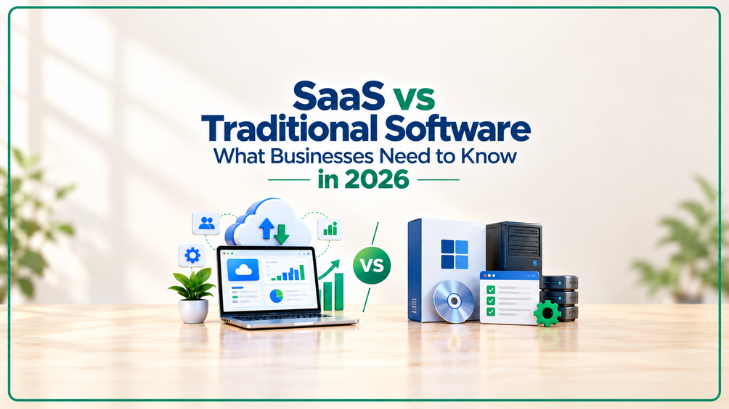
Quick Answer: SaaS (Software as a Service) is cloud-based software accessed through subscriptions, requiring no installation and offering automatic updates, while traditional software is purchased outright, installed locally, and maintained manually. The right choice depends on your budget, IT resources, and need for flexibility.
Choosing the right software model can significantly affect how a business operates, scales, and manages costs. With more companies shifting to cloud-based tools, understanding the real differences between SaaS and traditional software has become essential — not just a technical decision, but a strategic one.
Key Takeaways
- SaaS uses a subscription model; traditional software typically requires a one-time purchase
- SaaS updates automatically; traditional software often needs manual updates or IT support
- SaaS is generally more scalable and accessible from anywhere
- Traditional software may offer more control and offline functionality
- The right choice depends on business size, budget, and technical needs
What Is SaaS?
SaaS, or Software as a Service, is software hosted on the provider’s servers and accessed via the internet, usually through a web browser. Instead of buying a license outright, businesses pay a recurring fee — monthly or annually — to use the software.
Common examples include tools like project management platforms, customer relationship management (CRM) systems, and accounting software delivered entirely through the cloud.
What Is Traditional Software?
Traditional software, sometimes called on-premise software, is purchased once and installed directly onto a computer or company server. The business owns the license and is typically responsible for maintenance, updates, and data storage.
This model was the standard for decades before cloud computing became widely accessible and affordable.
Cost Comparison
SaaS:
- Lower upfront cost
- Predictable recurring subscription fees
- Often includes maintenance and support in the price
Traditional Software:
- Higher upfront investment
- Fewer ongoing costs after purchase, unless upgrades are needed
- May require additional spending on IT infrastructure and maintenance
For startups and small businesses with limited capital, SaaS often makes more financial sense. Larger enterprises with long-term stable needs sometimes find traditional software more cost-effective over many years.
Updates and Maintenance
One of the biggest advantages of SaaS is automatic updates. The provider handles bug fixes, security patches, and new features without any action needed from the user.
Traditional software often requires manual updates, and in some cases, businesses continue using outdated versions simply because updating is time-consuming or costly.
Accessibility and Flexibility
SaaS platforms are accessible from any device with an internet connection, making them ideal for remote teams, hybrid work environments, and businesses with multiple locations.
Traditional software is generally tied to the device it’s installed on, which can limit flexibility — though some traditional software now offers limited remote access options.
Scalability
SaaS platforms are built to scale easily. Businesses can typically add or remove users, upgrade plans, or access more features with just a few clicks.
Scaling traditional software often requires purchasing additional licenses, installing updates across multiple devices, or investing in more powerful hardware.
Security Considerations
SaaS providers generally invest heavily in security infrastructure, since protecting customer data is central to their business. However, businesses are still dependent on the provider’s security practices and uptime.
Traditional software gives businesses more direct control over their data and security protocols, which can be appealing for industries with strict compliance requirements.
Which One Should Your Business Choose?
Consider SaaS if:
- You want lower upfront costs
- Your team works remotely or across multiple locations
- You prefer automatic updates and minimal IT maintenance
- Your business needs may change or scale quickly
Consider traditional software if:
- You need full control over data and infrastructure
- Your team primarily works offline or in a single location
- You have specific compliance or security requirements
- You already have the IT resources to manage installations and updates
Frequently Asked Questions
Is SaaS more secure than traditional software?
Not necessarily more or less secure — SaaS providers typically have dedicated security teams, but businesses are trusting a third party with their data, which requires careful vendor evaluation.
Can businesses switch from traditional software to SaaS?
Yes, many businesses migrate to SaaS platforms over time. The process usually involves data migration, employee training, and choosing a SaaS provider that fits existing workflows.
Is SaaS cheaper in the long run?
It depends on usage. Subscription costs can add up over several years, so businesses should calculate total cost of ownership rather than just comparing upfront prices.
Final Thoughts
There’s no universal answer to SaaS versus traditional software — the right choice depends on your business’s size, budget, technical capacity, and long-term goals. Many companies today use a hybrid approach, combining SaaS tools for flexibility with select traditional software for specialized needs.
Disclaimer: This article is for informational purposes only and does not constitute technical or financial advice. Evaluate your specific business needs before making software decisions.
